Dictation Latency Trace
No Telemetry Recorded Yet
Click any mic button in the playground to record audio and trace discrete pipeline steps in real time!
Text to
anything.
tautau stands for text to: T·T, said tau tau. One voice engine sits behind a growing suite of tools: speech to text on the web, text to notes and text to tasks syncing across your devices, text to speech and text to image in the lab.
Message…
The suite
tau·tau = T·T = text to. Five tools sharing one voice engine, each honest about where it is.
Speech to Text
Dictate into any text field on any website, plus tab screen recording with share links anyone can watch.
Text to Notes
Speak a thought and get back a tidy note, synced across web, browser and companion apps.
Text to Tasks
Say what needs doing and it becomes a to-do, synced across web, browser and companion apps.
Text to Speech
Written words back out as natural audio. Currently in the lab.
Text to Image
Describe a picture and get one. Currently in the lab.
On every device
The engine follows you: the browser where you work, the phone in your pocket, the watch on your wrist.
Chrome extension
Dictation into every text field plus tab screen recording, anywhere you work in Chrome.
Add to ChromeiOS app
Voice notes and tasks, captured on the go and waiting for you when you sit back down.
Apple Watch
Quick voice capture from your wrist, straight into your notes and tasks.
Find any text box
The mic button is already waiting beside it — tautau injects one into every field, on every site you visit.
Hold, speak, done
Live levels show your voice landing as you talk. Press and hold for mic options and a stream test.
The field fills itself
Words on the page in under a second. Edit if you like, submit if you dare.
See it happen
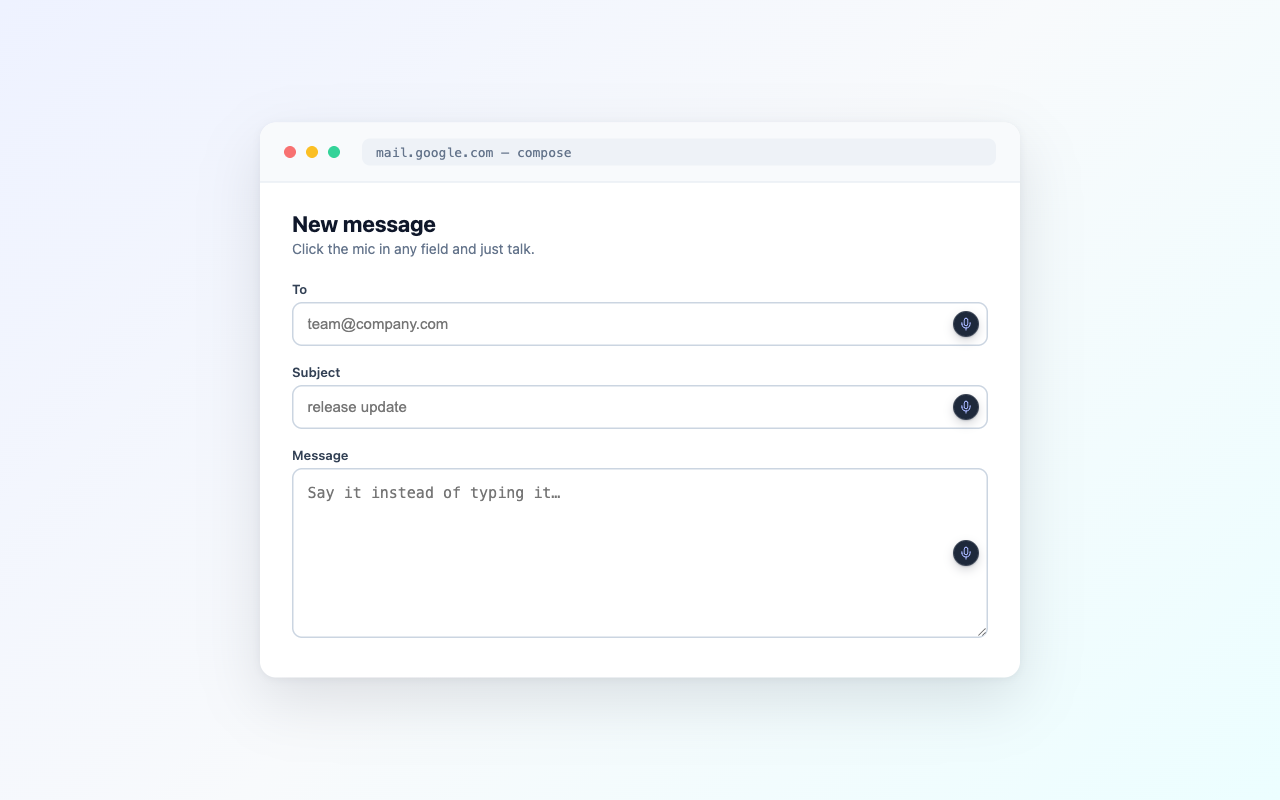
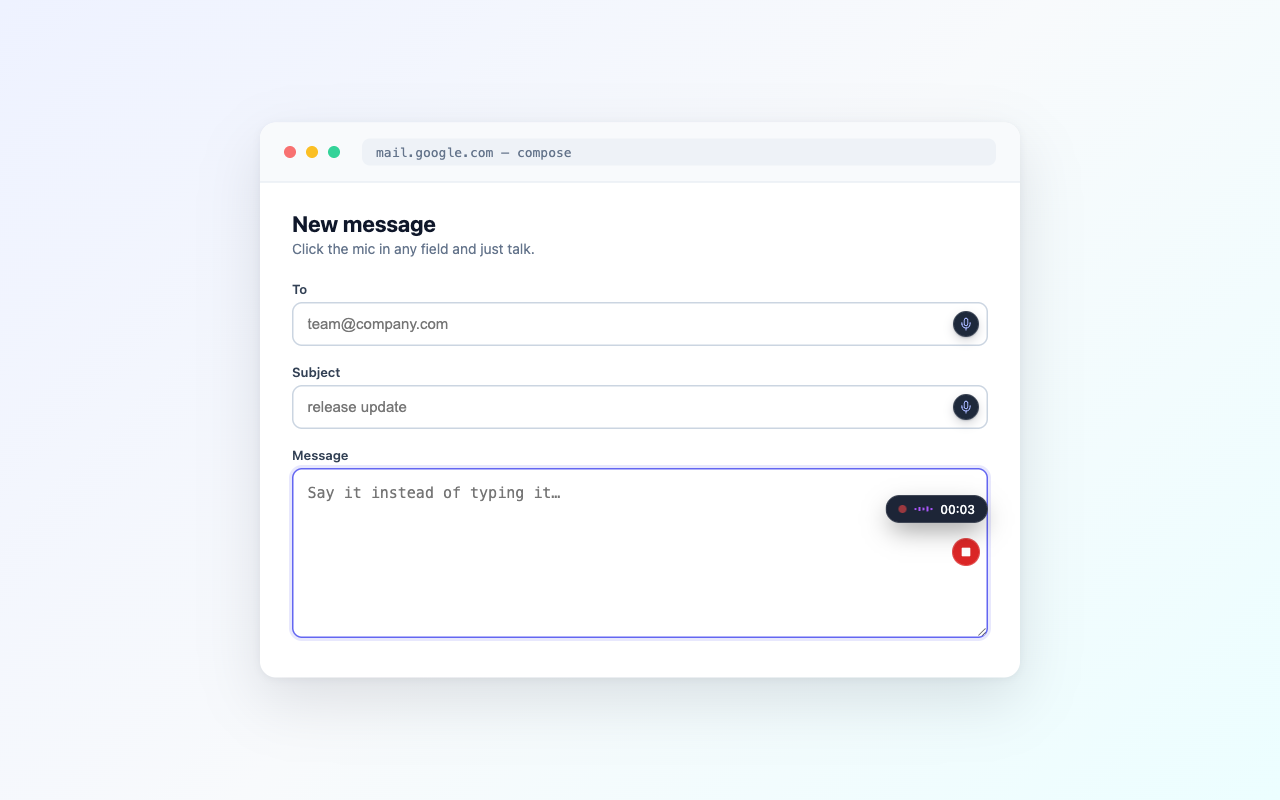
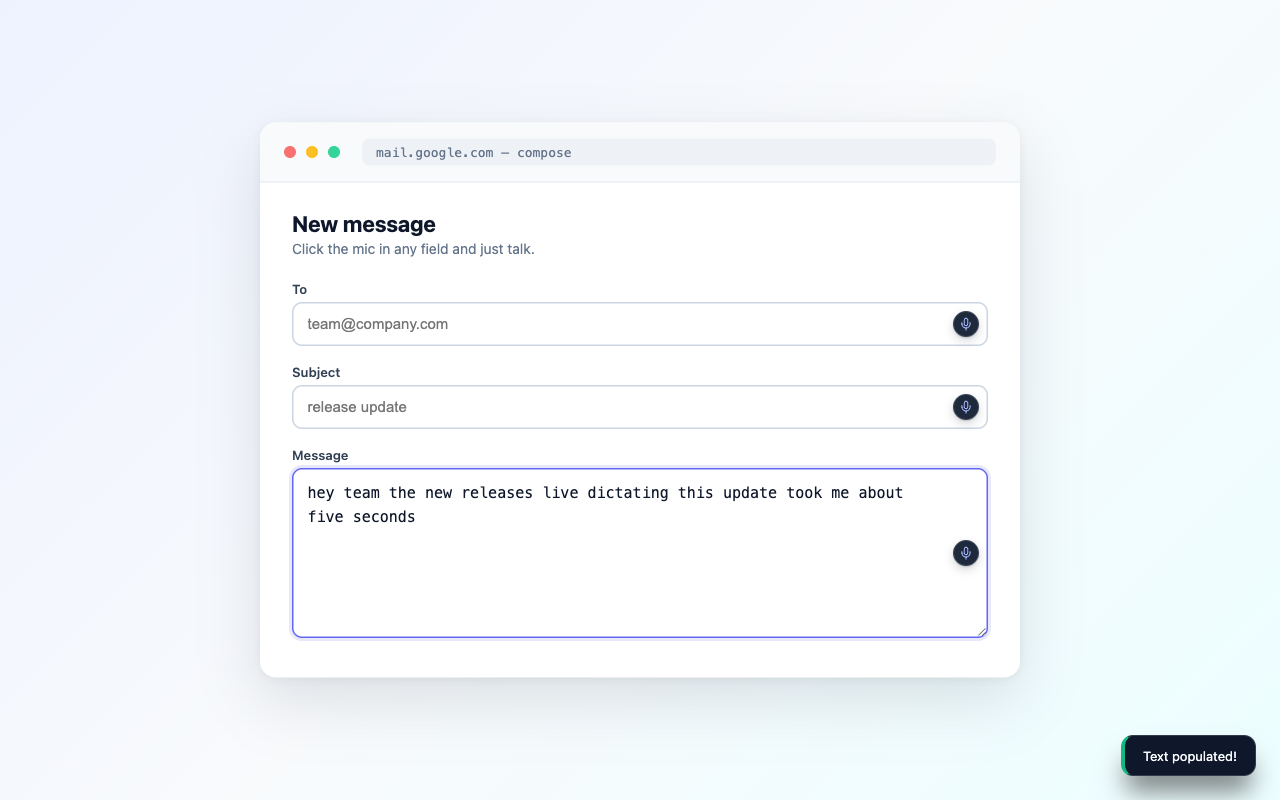
Dictate anywhere, then polish it
The wedge: one mic button that follows you across the whole web. Around it, a small set of tools that make spoken text read like written text.
A mic in every field
tautau injects a mic button beside text inputs, textareas and rich-text editors on every site. Click it, press Cmd+Shift+V, or right-click and choose Start voice dictation.
AI polish
A server-side pass fixes punctuation, capitalisation and filler words without changing your meaning. If the polish fails, you keep the raw transcript.
Your dictionary
Up to 200 personal terms (names, jargon, product spellings) feed both recognition and polish, so your vocabulary comes out right the first time.
Voice commands and snippets
Say “new paragraph” or “scratch that” to edit hands-free, or “insert <trigger>” to drop a saved snippet into the field.
History when you want it
Signed-in dictations keep a searchable history with audio replay, inline editing and .txt export. Anonymous use is never stored.
The 30-second version
Best-in-class ears.
Every dictation races across top speech engines with automatic failover — you never pick one, it just works.
 xAI
xAI Groq
Groq OpenAI
 OpenRouter
For hands that can't — and hands that won't.
Repetitive strain. Arthritis. Dyslexia. A broken wrist, a baby on your hip, a coffee in the other hand. Sometimes the keyboard is the barrier — sometimes it's just the boring part. Voice typing shouldn't stop at one app's text box: the whole web should be speakable.
Show it, don't type it.
Some things are faster to show than to type: the bug that only happens on staging, the design pass nobody wants to screenshot frame by frame. The extension now records any Chrome tab with its audio, and an optional camera bubble puts your face in the corner while you narrate. Every recording gets a link, tautau.xyz/r/…, that plays for anyone with no account, plus a dashboard to rename, download, or delete it. Delete the recording and the link stops working.
Record any tab
Video and tab audio, started from the extension popup. Flip the camera-bubble toggle and your webcam joins in, circle-cropped in the corner with a purple ring.
One link, anyone can watch
Every recording gets a tautau.xyz/r/… link that plays for anyone, signed in or not. No viewer accounts, no attachments.
A dashboard, not a downloads folder
Rename inline, download the .webm, or delete from /recordings. Minute and storage meters show exactly where you stand.
Record the tab, keep the receipts
The extension popup is one capture utility: record video when you need motion, scan the page when you only need the evidence.
Any scope
Record a tab, a window or the whole screen with mic narration and an optional camera bubble, after a 3-2-1 countdown. A floating pill on the page stops it.
Share links that behave
Every recording gets a tautau.xyz/r/… link anyone can watch without an account. The viewer is excluded from search engines, links can carry an expiry, and deleting the recording revokes the link.
It transcribes itself
Recordings get an automatic transcript with click-to-seek, word-level highlights and captions, plus a clip editor that exports real .webm cuts.
Scan without the video
Scan page captures a video-less debug bundle: DOM snapshots, console errors, network failures, interactions and pinned elements.
Evidence joins the recording
Assets collected mid-recording land in the recording’s session bundle, so the video and the page evidence travel together.
Live speech-to-text playground
Click 🎙️ mic button to record, or press and hold to open the Quick Action menu!
This session’s dictations
liveNothing dictated yet — click any mic button above and your transcripts land here.Try one ↑
Say it once, find it everywhere
Notes and to-dos sync through the same account wherever you capture them, so the thought you speak on the go is waiting at your desk.
One list on the web
The /notes page holds your to-dos and notes in one place: add, tick, edit and search.
Quick-add from the popup
The extension popup captures a to-do without leaving the tab you’re on.
Companion apps
iPhone and Apple Watch companions capture on the go. They’re rolling out now, not yet on the App Store.
Offline-first
Create offline and sync when you’re back. Deletes reconcile across devices instead of resurrecting.
Paste a link, read it back
Send a YouTube video, podcast episode or audio file through the same engine, no install needed.
YouTube in seconds
Reads the video’s official caption track, so results land in a second or two. A video with no captions can’t be transcribed.
Podcasts and audio files
Full AI speech-to-text on episodes, RSS feeds and direct audio URLs, running async with progress.
A real free ladder
5 transcripts lifetime anonymous, 5 a day with a free account, 20 a day on paid plans. Audio minutes: 15 a month free, 200 on Base, 600 on Pro (shared with dictation).
A workbench, not a wall of text
Search, edit and analyse the transcript, then export it as .txt or .md.
The engine, on tap
Three ways to put the voice engine inside your own tooling.
MCP server
tautau-mcp gives Claude Code, Claude Desktop and Codex tools to transcribe links and local audio, check quota and read page-scan debug bundles. Install with npx -y tautau-mcp.
Scoped API tokens
Mint ttk_… tokens in Settings → API tokens with per-scope access (transcribe, transcribe:url, history, notes, quota:read) and TTLs. Built for CI, agents and scripts.
Embeddable clippy
A zero-dependency library that mounts dictation, asset collection and page scanning on your own site, no extension required.
Frequently asked questions
What is tautau?
tautau is a suite of text-to tools built around one voice engine. The flagship, speech to text, is a Chrome extension and web app that drops a small mic button into every text field on every website: click it, speak, and your words are typed into the box for you.
What does tautau mean?
Say it in two halves: tau, tau. T-T. That is short for text to, which is what every tool in the suite does: speech to text, text to notes, text to tasks, and more on the way.
What’s in the tautau suite?
Five text-to tools sharing one voice engine. Speech to text is live: the Chrome extension, the web playground, and screen recording. Text to notes and text to tasks are live too, syncing across the web app and the extension, with iPhone and Apple Watch companions rolling out. Text to speech and text to image are in the lab, so there is nothing to try yet.
Which websites does it work on?
Virtually all of them. Gmail, Notion, Jira, Google Docs, LinkedIn, support portals, even ancient government forms — if the page has a text input, textarea, or rich-text editor, tautau can dictate into it.
Is tautau free?
Yes — you can dictate for free with daily limits, and record up to 25 minutes of screen video a month (500 MB total storage), no card required. The Base plan ($3/month) raises dictation to 200 minutes a month and recordings to 300 minutes with 5 GB of storage. Pro covers heavy daily use.
Can it record my screen?
Yes. Start a recording from the extension and it captures the Chrome tab, video and audio together, with an optional camera bubble that overlays your webcam in the corner. Each recording gets a share link (tautau.xyz/r/…) that anyone can watch without an account, and a dashboard for renaming, downloading, and deleting. Delete a recording and its link stops working.
Is my audio or text stored?
Anonymous dictations are never stored. Signed-in users get an optional history with audio replay that lives in private per-user storage and can be deleted item-by-item or wiped entirely at any time. Audio is sent to the transcription provider only to produce text.
How does tautau help with accessibility?
tautau makes the whole web usable hands-free. For people with RSI, motor impairments, dyslexia, or a temporary injury, typing can be slow or painful — dictation turns any form into a short conversation, with no special hardware beyond a microphone.
Which speech engine does it use?
Dictation runs on state-of-the-art hosted speech models — xAI Grok STT with automatic failover to Groq and OpenAI Whisper — for fast, accurate transcripts in multiple languages.
Your keyboard will forgive you.
$3 a month — less than the coffee you spilled on it.